Deploy locally
- Prepare
1
2
3
| # Creating the save data & configuration directories.
mkdir couchdb-data
mkdir couchdb-etc
|
- Create a
compose.yml file with the following added to it
without proxy
1
2
3
4
5
6
7
8
9
10
11
12
13
| services:
couchdb:
image: couchdb:latest
container_name: couchdb-for-ols
environment:
- COUCHDB_USER=<INSERT USERNAME HERE> #Please change as you like.
- COUCHDB_PASSWORD=<INSERT PASSWORD HERE> #Please change as you like.
volumes:
- ./couchdb-data:/opt/couchdb/data
- ./couchdb-etc:/opt/couchdb/etc/local.d
ports:
- 5984:5984
restart: unless-stopped
|
with Traefik
1
2
3
4
5
6
7
8
9
10
11
12
13
14
15
16
17
18
19
20
21
22
23
24
25
26
27
28
29
30
31
32
33
34
35
36
37
38
39
40
41
| services:
couchdb:
image: couchdb:latest
container_name: obsidian-livesync
environment:
- COUCHDB_USER=username
- COUCHDB_PASSWORD=password
volumes:
- ./data:/opt/couchdb/data
- ./local.ini:/opt/couchdb/etc/local.ini
# Ports not needed when already passed to Traefik
#ports:
# - 5984:5984
restart: unless-stopped
networks:
- proxy
labels:
- "traefik.enable=true"
# The Traefik Network
- "traefik.docker.network=proxy"
# Don't forget to replace 'obsidian-livesync.example.org' with your own domain
- "traefik.http.routers.obsidian-livesync.rule=Host(`obsidian-livesync.example.org`)"
# The 'websecure' entryPoint is basically your HTTPS entrypoint. Check the next code snippet if you are encountering problems only; you probably have a working traefik configuration if this is not your first container you are reverse proxying.
- "traefik.http.routers.obsidian-livesync.entrypoints=websecure"
- "traefik.http.routers.obsidian-livesync.service=obsidian-livesync"
- "traefik.http.services.obsidian-livesync.loadbalancer.server.port=5984"
- "traefik.http.routers.obsidian-livesync.tls=true"
# Replace the string 'letsencrypt' with your own certificate resolver
- "traefik.http.routers.obsidian-livesync.tls.certresolver=letsencrypt"
- "traefik.http.routers.obsidian-livesync.middlewares=obsidiancors"
# The part needed for CORS to work on Traefik 2.x starts here
- "traefik.http.middlewares.obsidiancors.headers.accesscontrolallowmethods=GET,PUT,POST,HEAD,DELETE"
- "traefik.http.middlewares.obsidiancors.headers.accesscontrolallowheaders=accept,authorization,content-type,origin,referer"
- "traefik.http.middlewares.obsidiancors.headers.accesscontrolalloworiginlist=app://obsidian.md,capacitor://localhost,http://localhost"
- "traefik.http.middlewares.obsidiancors.headers.accesscontrolmaxage=3600"
- "traefik.http.middlewares.obsidiancors.headers.addvaryheader=true"
- "traefik.http.middlewares.obsidiancors.headers.accessControlAllowCredentials=true"
networks:
proxy:
external: true
|
- Run the Docker Compose file to boot check
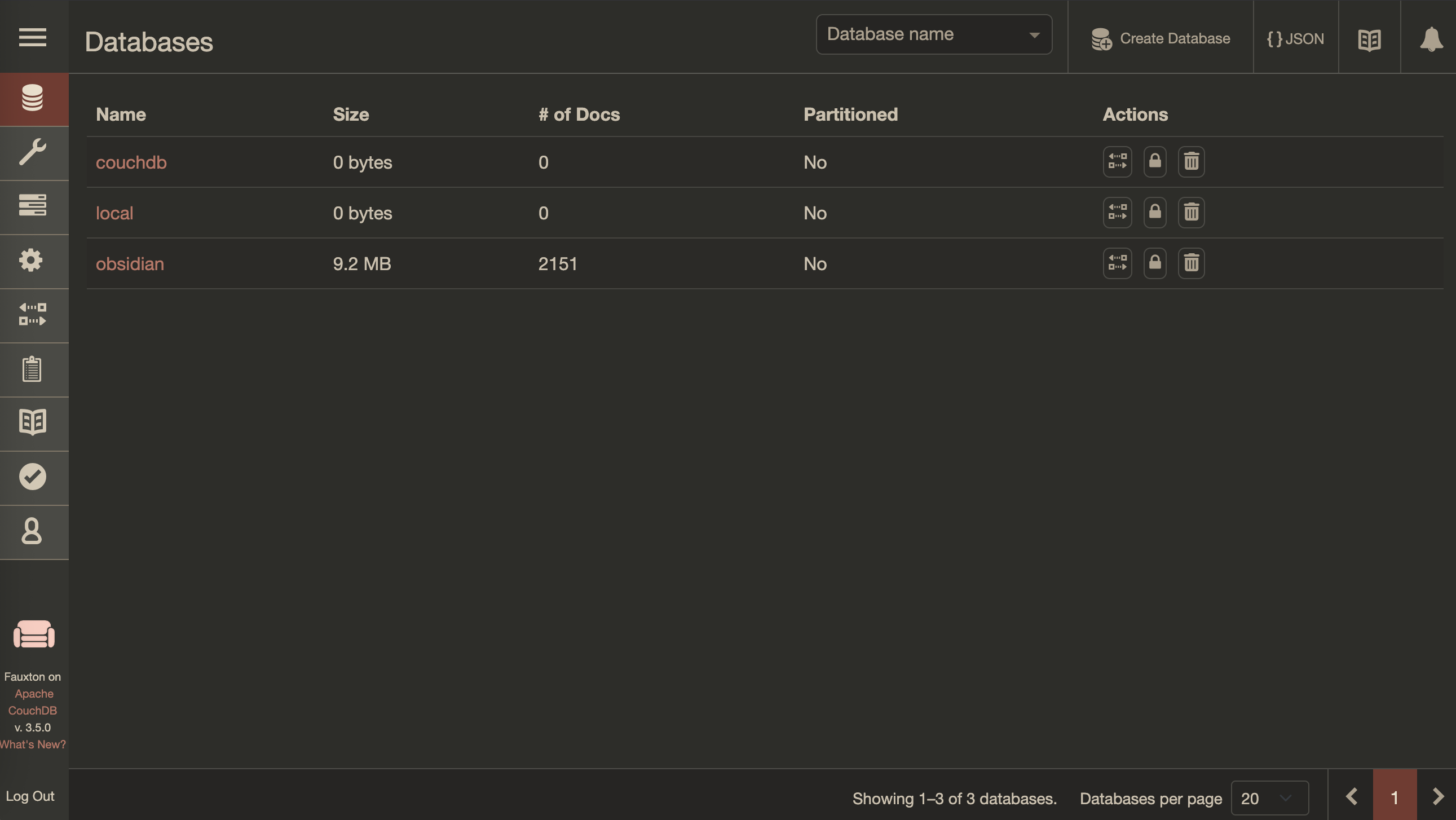
Go to CouchDB admin page
Go to your server ip eg. http://192.168.1.0:5984/_utils, login with your credentials created in compose file.
- You will see your db in CouchDB
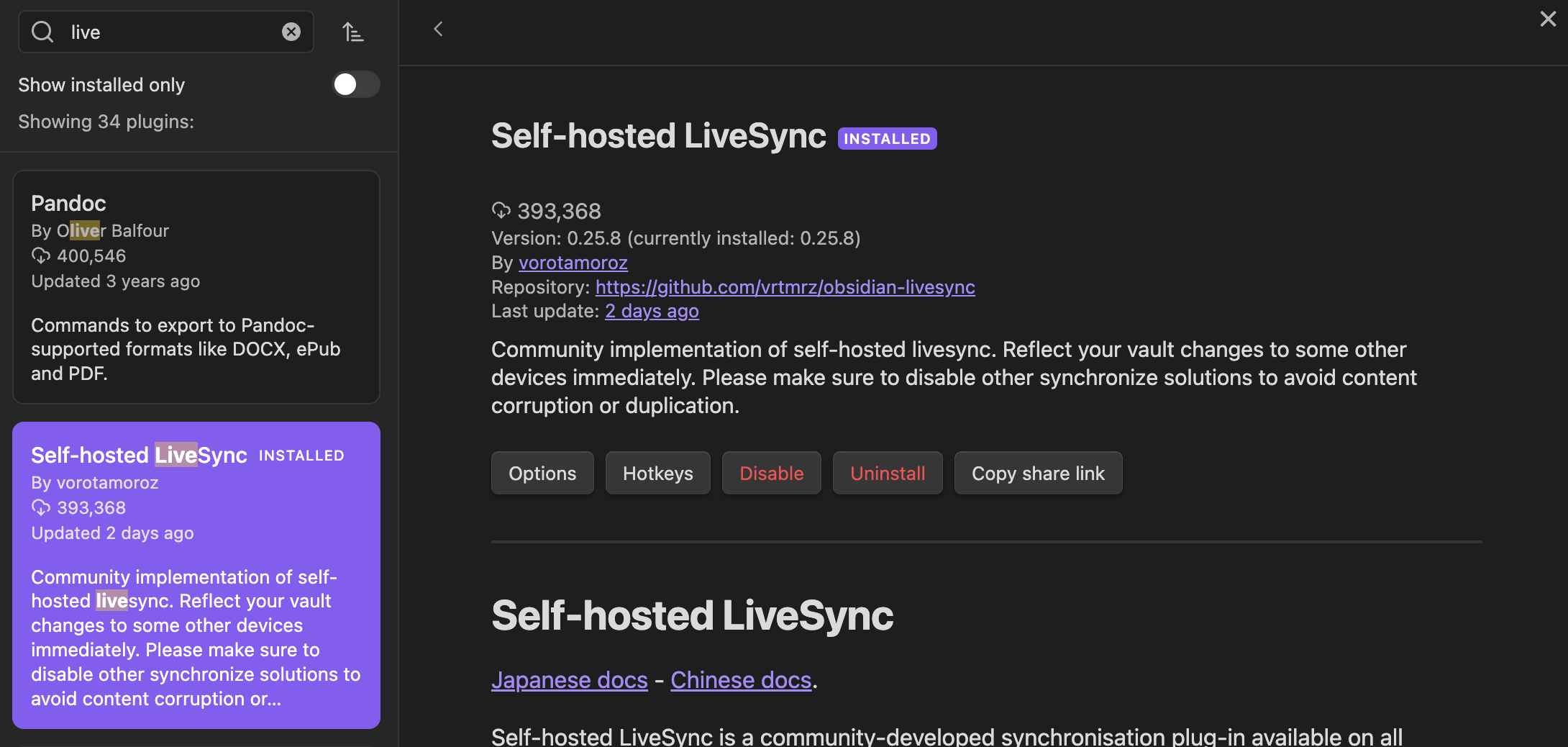
Open Obsidian apps and browse the LiveSync plugin
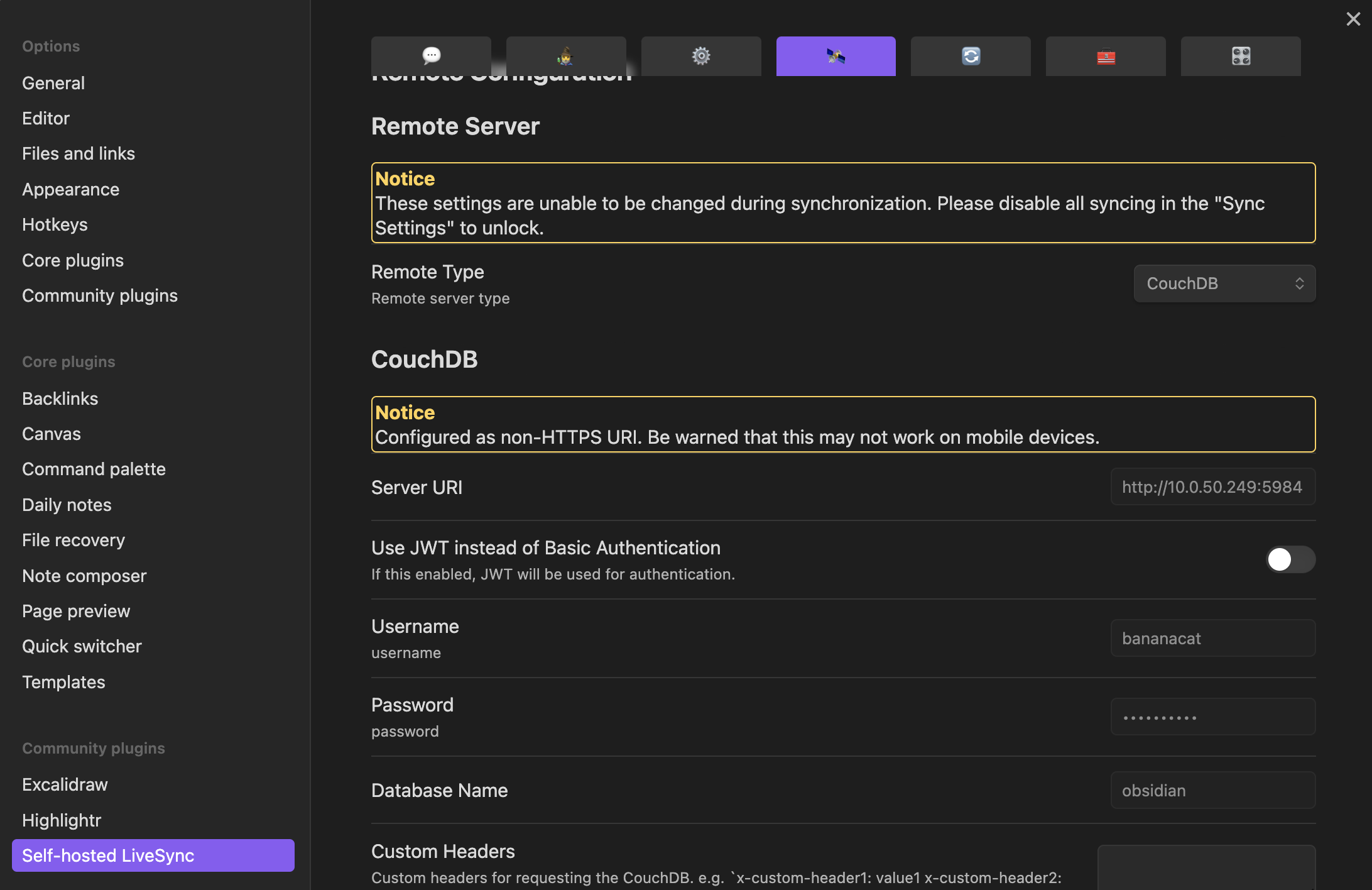
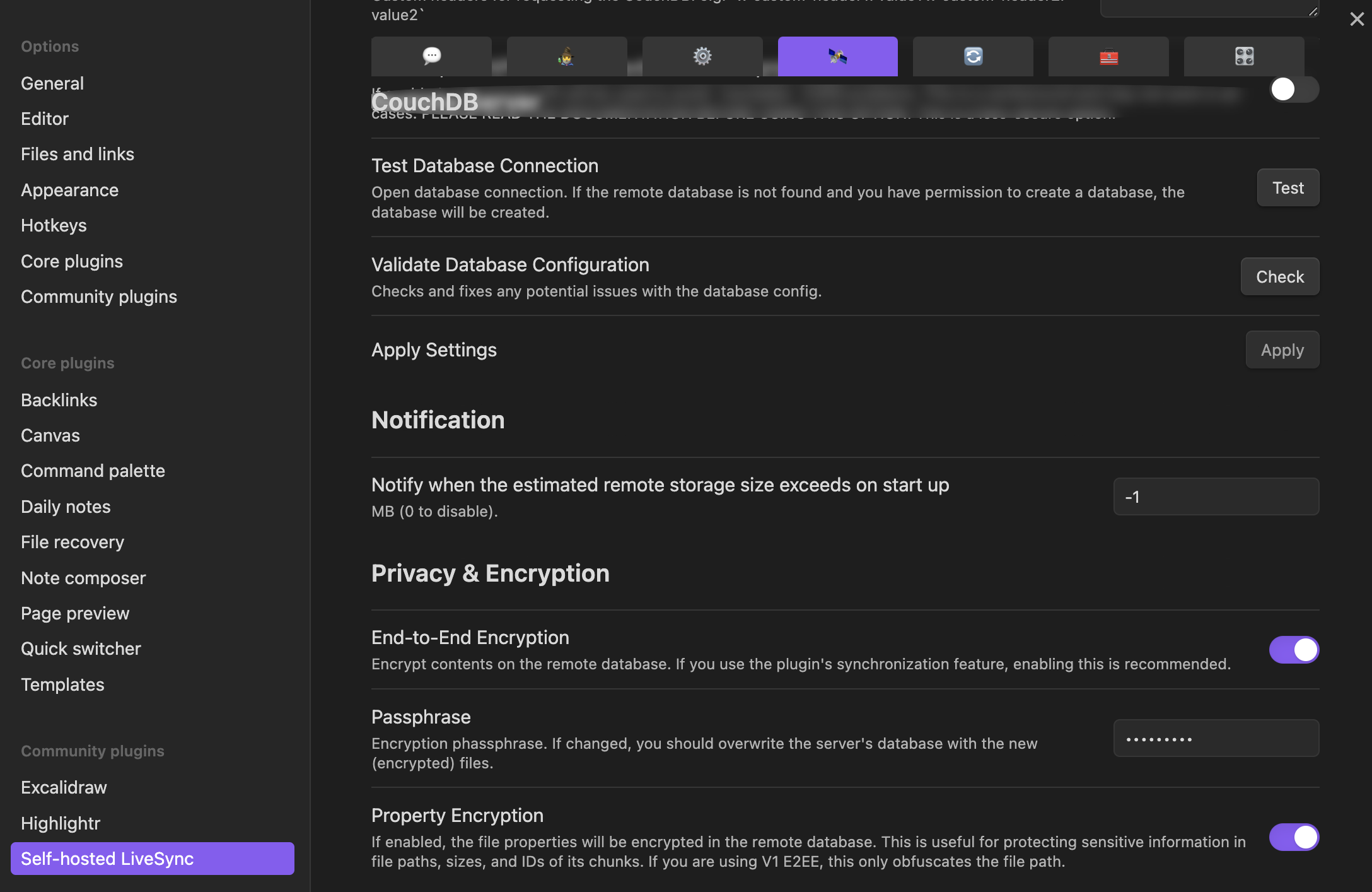
- Click Option and setup your connection.
Server URI, Username, Password, Database Name
Test Database Connection, Encryption
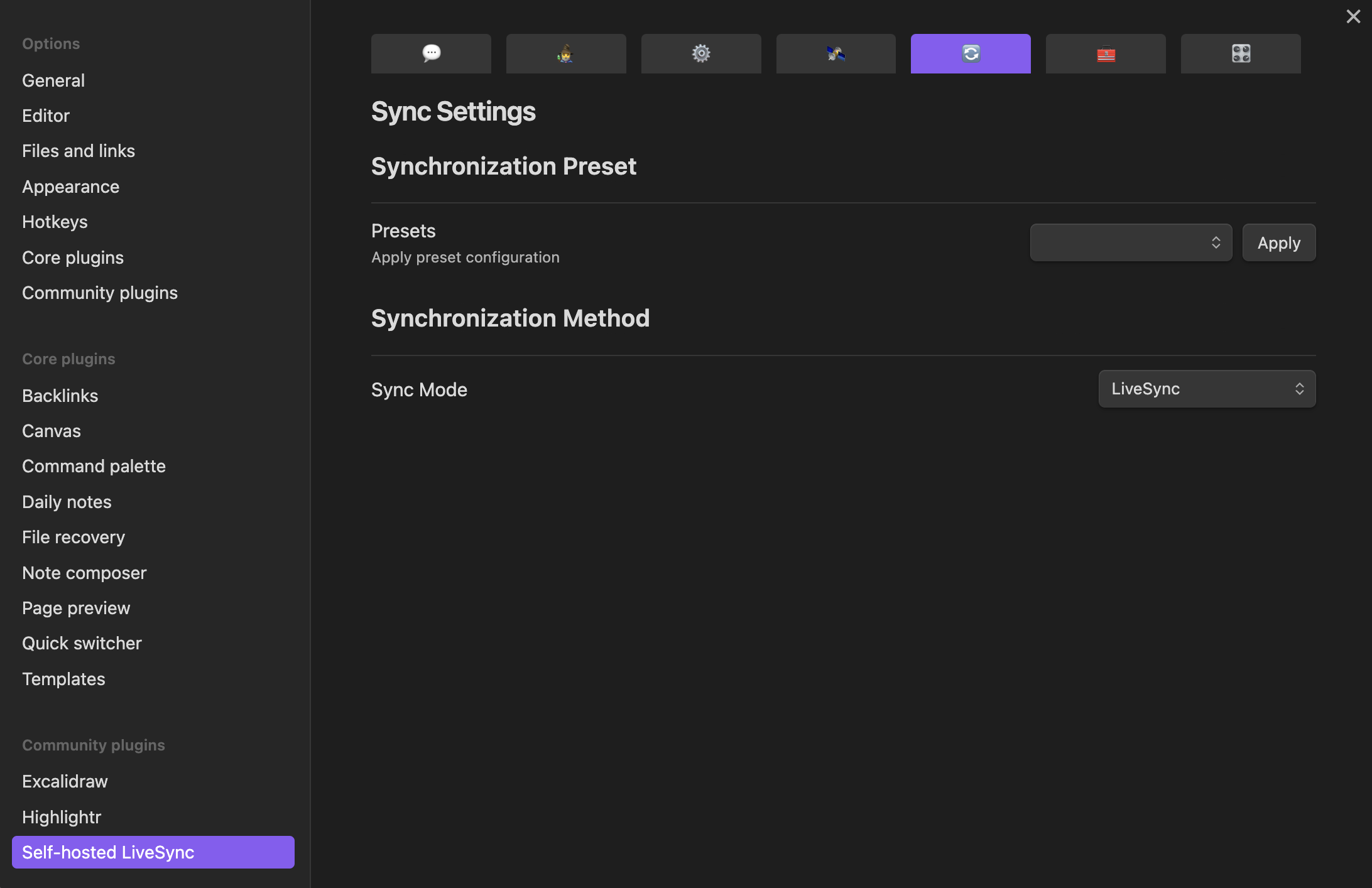
- Synchronization Method i. Change Live Sync method
Install Obsidian on mobile
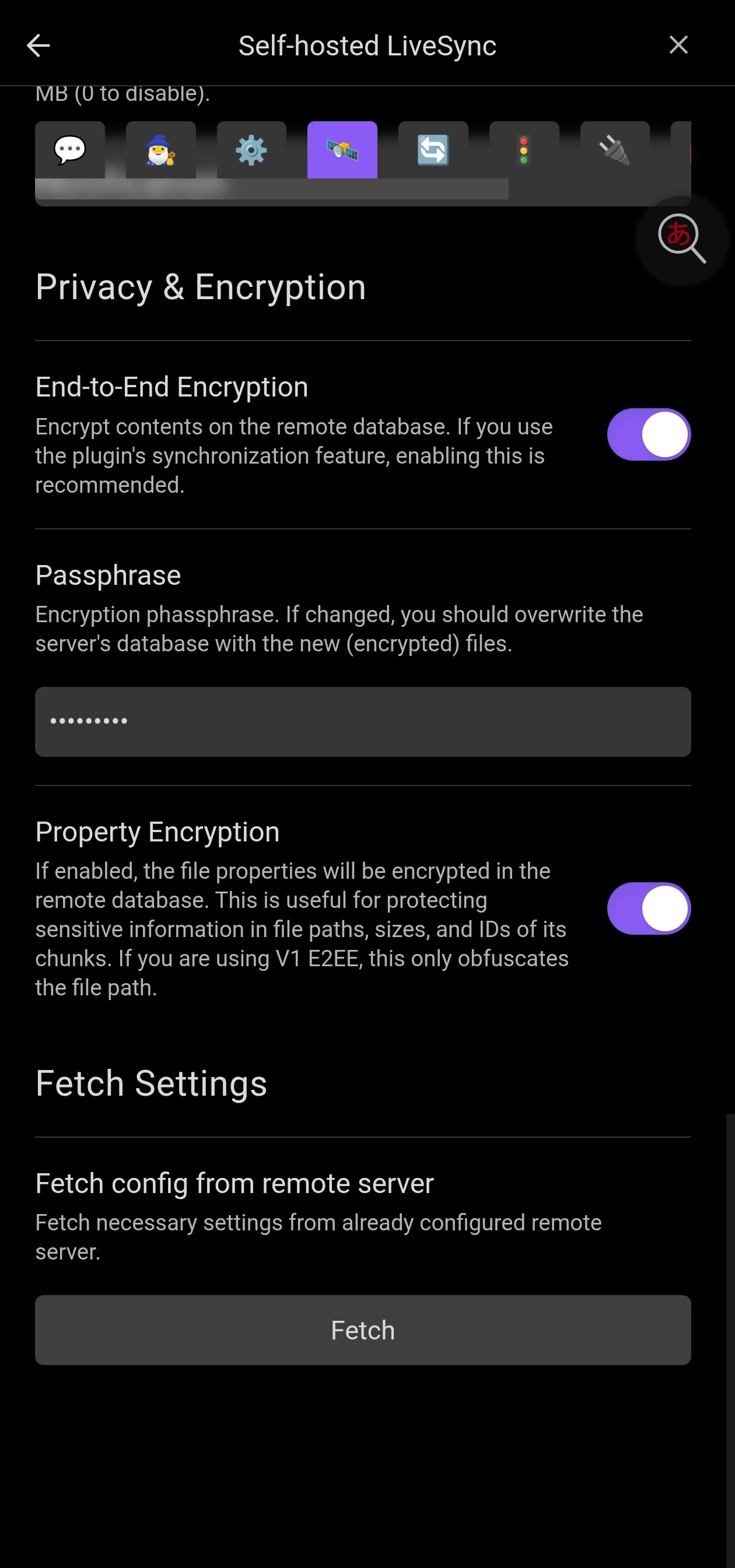
- Create a new vault and install the LiveSync plugin and configure the connection. The same setting in desktop side, then click Fetch button Fetch Settings.
Done! It will sync the notes in live.
ref link: https://github.com/vrtmrz/obsidian-livesync
常見排錯紀錄
環境: CouchDB (Docker) 作為同步後端 + Obsidian Self-hosted LiveSync 插件,前面可掛 reverse proxy (Nginx / Apache / Caddy)。
問題一:CORS 錯誤
錯誤訊息
1
2
3
| the request was successful by API. But the native fetch API failed!
Please check CORS setting on the remote database!
While this condition, you cannot enable LiveSync
|
原因
- 插件嘅 Test 按鈕走 Obsidian 內部 API,唔受瀏覽器 CORS 限制 → 所以會「測試成功」
- 實際同步 (PouchDB / LiveSync) 走原生
fetch(),受 CORS 限制 → 被擋 - Obsidian 嘅 origin 唔係標準網域:
- 桌面版:
app://obsidian.md - 手機版:
capacitor://localhost
- 帶 credentials 嘅 request 唔可以用 wildcard
*,必須明確列出 origin
解法 A:CouchDB local.ini 加 CORS 設定
1
2
3
4
5
6
7
8
9
10
11
12
13
14
15
16
| [couchdb]
single_node = true
max_document_size = 50000000
[chttpd]
enable_cors = true
bind_address = 0.0.0.0
max_http_request_size = 4294967296
require_valid_user = true
[cors]
origins = app://obsidian.md, capacitor://localhost, http://localhost
credentials = true
[httpd]
WWW-Authenticate = Basic realm="couchdb"
|
改完重啟 CouchDB:
解法 B:由 reverse proxy 處理(與 CouchDB 二擇一)
⚠️ CouchDB 同 proxy 只能由其中一層加 CORS header,兩層都加會造成 Access-Control-Allow-Origin 重複,瀏覽器照樣拒絕。
Nginx 範例(此時 CouchDB 端 enable_cors = false):
1
2
3
4
5
| add_header 'Access-Control-Allow-Methods' 'GET, PUT, POST, HEAD, DELETE';
add_header 'Access-Control-Allow-Headers' 'accept, authorization, content-type, origin, referer';
add_header 'Access-Control-Allow-Origin' 'app://obsidian.md, capacitor://localhost, http://localhost';
add_header 'Access-Control-Allow-Credentials' 'true';
add_header 'Vary' 'Origin';
|
1
| nginx -t && systemctl reload nginx
|
插件內建修復工具
- Settings → Self-hosted LiveSync → Setup → Check database configuration → 有問題按 Fix
- 新版精靈有 Detect and Fix CouchDB Issues 按鈕,可自動補齊 CORS / chttpd 設定
最後手段(繞過 CORS 檢查)
- Settings → 開啟 power user 功能 → Power users → Use Internal API
- 走 Obsidian 自己嘅 request handler,完全繞過瀏覽器 CORS
- 定位:驗證帳密/DB 是否正確嘅臨時手段,唔建議長期使用
問題二:413 Request Entity Too Large
錯誤訊息
1
2
| the request may have failed the reason sent by the server
413 Request Entity Too Large
|
原因
大型筆記 / 嵌入圖片 / 附件喺同步推送時,超過 CouchDB 或 reverse proxy 嘅 request body 上限(兩層各自獨立限制,任何一層超標都會 413)。
解法 1:CouchDB 端(兩個設定都要調)
1
2
3
4
5
| [couchdb]
max_document_size = 50000000
[chttpd]
max_http_request_size = 4294967296
|
max_document_size:單一文件 JSON body 上限(唔含附件)max_http_request_size:整個 HTTP request body 上限(含附件)← 同步大檔最容易撞呢個
改完重啟:
解法 2:Nginx 端
1
| client_max_body_size 100M;
|
1
| nginx -t && systemctl reload nginx
|
解法 3:Apache 端
1
| LimitRequestBody 104857600
|
1
| systemctl restart apache2
|
注意事項
- Cloudflare free tier 有 100MB request body 硬上限,無法調高;經 Cloudflare Tunnel / proxy 嘅話,單檔超過 100MB 點改本機設定都冇用
- Caddy 預設無 body size 上限,用 Caddy 嘅話優先檢查 CouchDB 端
- 插件端輔助:Settings → Sync Settings → chunk size 調低至 50–100,讓單次複寫嘅 payload 變細,從源頭避免撞上限
標準驗證流程(每次改完設定)
- 重啟 CouchDB / reload proxy
- Obsidian 插件內:Test → Check database configuration → Apply
- 重新啟用 LiveSync
- 觀察 sync status 回到
↑ 0 ↓ 0
排錯時間線總結
| 階段 | 症狀 | 根因 | 解法 |
|---|
| 部署 | — | — | Docker Compose 起 CouchDB + 插件連線 |
| 問題 1 | API 測試成功但 native fetch 失敗 | Obsidian 非標準 origin 被 CORS 擋;credentialed request 唔可以用 * | local.ini 明確列出 origins,或只由 proxy 單層處理 CORS |
| 問題 2 | 413 Request Entity Too Large | 文件/附件超過 CouchDB 或 proxy 嘅 body size 上限 | 調高 max_http_request_size / client_max_body_size,插件 chunk size 調低 |
常用檢查指令速查
1
2
3
4
5
6
7
8
9
10
11
12
13
14
15
16
17
| # CouchDB 容器
docker compose up -d # 啟動
docker compose restart # 改完 local.ini 後重啟
docker compose logs -f # 睇即時 log 排查連線問題
# 驗證 CouchDB 是否正常回應
curl -u admin_user:admin_password http://<server>:5984/_up
# 查看目前 CORS 設定
curl -u admin_user:admin_password http://<server>:5984/_node/_local/_config/cors
# Nginx
nginx -t # 測試設定語法
systemctl reload nginx # 套用設定
# Apache
systemctl restart apache2
|